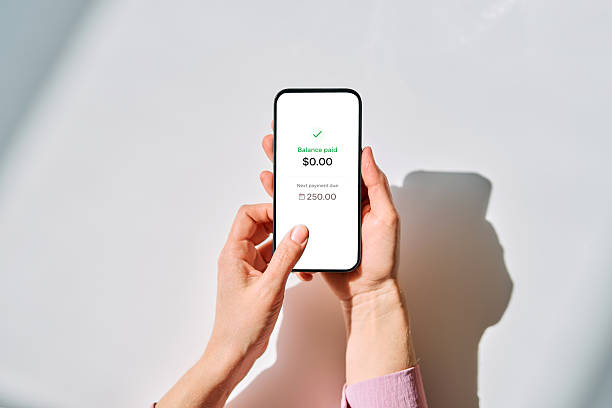


Mobile banking is not just a prettier way to check your balance. It is a warning system you carry in your pocket. If you wait until payday to look at your money, you are flying blind. Most overdrafts do not happen because people are reckless. They happen because of timing. A subscription renews two days before your paycheck. A gas station hold sits on your account longer than you expected. A friend pays you back late. By the time you notice, the bank has already charged you a fee, and that fee can snowball into late payments, higher balances, and eventually junk credit. The fix is not a budget spreadsheet you will abandon by Thursday. The fix is setting up your mobile banking app to warn you before the damage is done.
Start with transaction alerts. Go into your bank’s app and turn on notifications for every debit card purchase, every withdrawal, and every automatic payment. Yes, it will feel like too much at first. That is the point. For thirty days, let your phone buzz. You will quickly learn which subscriptions you forgot about, which bills hit earlier than you thought, and how fast small purchases add up. After a month, you can narrow the alerts, but most people should keep purchase alerts on. It is one of the fastest ways to catch fraud, too. A charge you do not recognize is easier to kill when you see it in real time instead of three weeks later.
Next, set low-balance alerts at numbers that actually mean something. Do not set the alert at zero. By then it is too late. If rent is due, set one alert at rent plus one hundred dollars. That is your warning. Set a second, more urgent alert at one hundred dollars. Some banks let you choose different alerts for checking and savings. Use them. This takes about three minutes. Those three minutes can save you thirty-five dollars per overdraft, plus the embarrassment and stress of wondering whether your card will work at the grocery store.
If your employer allows direct deposit splitting, use it. Send the money for rent, utilities, insurance, and loan payments into one account. Send your spending money into another. If your employer does not allow a split, create the split yourself with automatic transfers on payday. Mobile banking makes this easy. You can rename accounts inside the app, so you are not staring at “Checking 1234” and “Savings 5678.” Call them “Bills” and “Life.” When your paycheck lands, move the bill money immediately. What is left is yours to spend without guilt, because the important stuff is already handled.
Use card controls. Most major banks let you turn your debit card on and off, set transaction limits, block certain merchant categories, or block international charges. If you know you are prone to late-night online shopping, turn off online purchases after nine at night. If you are saving for a trip, lower your daily spending limit. These controls are not about punishment. They are guardrails. They stop a temporary impulse from creating a long-term problem. They also let you freeze your card instantly if you lose it, which is much better than waiting on hold with customer service while someone else drains your account.
Check your overdraft settings. In the United States, banks generally cannot charge you overdraft fees on debit card and ATM transactions unless you opted in. Many people opted in years ago and forgot. Open your app, find the overdraft or overdraft protection settings, and decide. If you would rather have a transaction declined than pay a fee, turn it off. A declined four-dollar coffee is annoying. A thirty-five-dollar fee on a four-dollar coffee is a junk credit move. You can also ask your bank to link a savings account as backup, but be careful. That can still trigger transfer fees or drain savings you meant to protect.
Watch pending transactions. Your available balance is the number that matters, not your current balance. Gas stations often place a hold larger than the actual purchase. Restaurants add a hold for the tip. Hotels can hold hundreds of dollars for incidentals. If your app shows a “safe to spend” number, use it, but verify it. Once a week, spend five minutes scrolling through your transactions. Cancel subscriptions you do not use. Flag anything that looks wrong. That five-minute habit is cheaper than any financial manager.
Automate a small buffer. Round-up savings programs can help, but do not rely on them alone. Set a recurring transfer of ten or twenty dollars every Friday into savings. Your goal is not a fancy investment portfolio yet. Your goal is five hundred dollars sitting in checking or an easy-to-access savings account. That buffer is what stops a surprise car repair from becoming a payday loan, and payday loans are where credit really starts to rot.
Security matters, but do not let fear keep you from using the tools. Use a strong, unique password. Turn on two-factor authentication. Use fingerprint or face unlock. Download the official app from your bank, not a link in a text message. Banks will not call or text asking for your one-time code. If someone does, it is a scam. Mobile banking is safe when you use basic common sense.
Finally, use bill pay and calendar reminders inside your app. Schedule payments for the day after your paycheck lands. Align due dates with your pay schedule when possible. If you use autopay, keep alerts on so you know when money leaves. If you share accounts with a partner, turn on alerts for both phones. No surprises, no arguments, no overdrafts.
You do not need to become a finance nerd. You just need a few guardrails. Spend twenty minutes setting alerts, transfers, and card controls. Then let your phone do the boring work. When you stop overdrafting, you keep more of your paycheck, avoid junk fees, and protect the credit score you will need for a car, an apartment, or a mortgage. That is not complicated. That is just using the tool already in your pocket.