
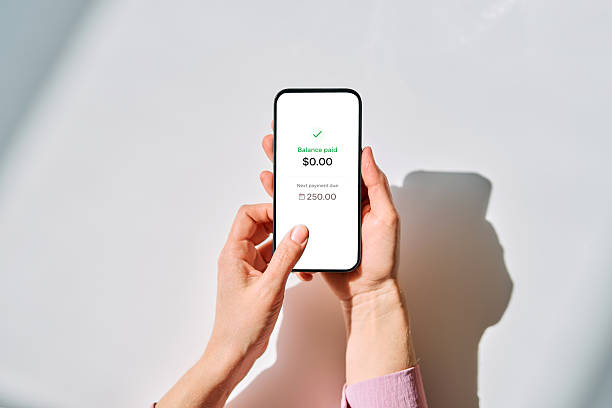
Your phone is in your hand, so put it to work. Mobile banking is not about staring at your balance every hour or pretending you enjoy spreadsheets. It is about building a few automatic guardrails that keep your money safe, your bills paid, and your credit out of trouble while you get on with work, family, and a social life. Spend ten minutes setting things up once, then let the app do the boring parts. That beats hiring a financial manager you cannot afford.
Start by making the app trustworthy. Download only the official app from your bank, not a look-alike from a search ad. Turn on fingerprint or face unlock and a strong passcode. Enable two-factor authentication. Use cell data or a trusted network when you move money, and skip public Wi-Fi for anything involving account numbers. If your bank offers it, set up a separate username that is not your email and a password you do not use anywhere else. Basic security keeps a busy person from becoming a fraud statistic.
Next, turn on transaction, low-balance, and bill alerts. Alerts are your early warning system. If a four-dollar charge shows up at a gas station you have never visited, you can freeze your card before a four-hundred-dollar charge follows. Most mobile banking apps let you freeze and unfreeze your debit card instantly. If you lose your card, freeze it first, then look for it. You control the risk instead of hoping for the best.
Card controls are another quiet superpower. Many apps let you set spending limits, block international transactions, block online purchases, or restrict cash withdrawals. If you never use your debit card overseas, turn that off. If you only use it for groceries and gas, set a monthly cap. This makes your money harder to steal. Scammers love debit cards because the money leaves your checking account immediately. A few taps can make your card a much less attractive target.
Automate the good stuff. Set your direct deposit to split between checking and savings. Even twenty-five dollars per paycheck adds up to six hundred fifty dollars a year, plus whatever you do not touch. If your bank allows multiple savings buckets, name them for real goals: emergency fund, car repair, moving out. The name matters because it stops you from treating savings like spare cash. Then schedule automatic transfers for the day after payday. You cannot forget a transfer that runs itself.
Use mobile check deposit when you need it, but do it carefully. Endorse the check, write “for mobile deposit only” if your bank asks, and keep it until the money is fully available. Then shred it. Do not deposit the same check twice, and do not accept checks from strangers who ask you to send part of the money back. If a deal feels rushed, it is probably junk.
Review your subscriptions and recurring charges inside the app. Most banking apps group transactions by merchant, so you can spot the streaming service you forgot or the gym membership you never use. Cancel what you do not need. That is not a budget overhaul. It is a five-minute cleanup that frees up cash for savings or debt.
Pay bills through your bank’s bill pay when possible. Schedule them around your paydays, not their due dates. That way you are not playing chicken with your balance. If you worry about overdrafts, opt out of debit card overdraft coverage for non-recurring transactions. A purchase may be declined instead of pushing you negative with a fee. Set a low-balance alert that makes you pause, not panic.
Finally, give your money a weekly ten-minute check-in. Pick a time you already keep, like Sunday morning coffee or Friday after work. Open the app, scan transactions, pay anything due, move extra cash to savings, and check for weird charges. Ten minutes a week is less time than one lunch break. It will not make you a finance expert, but it will keep you from being surprised. Mobile banking works best when it is boring, automatic, and slightly paranoid. Set it up once, let it run, and keep your credit and cash moving in the right direction.